How to Tune a Guitar with Your iPhone (With and Without an App)
How to tune a guitar with your iPhone. Tune with a tuner app, use Google's tuner with no app, or tune by ear. Includes the notes for Half Step Down and Drop D.
Posted
You pick up your guitar and it's out of tune, and your tuner is nowhere to be found. Here's how to tune with your iPhone.
The short answer
| What you want | Method | Effort | App |
|---|---|---|---|
| Fast and accurate | Method 1: A tuner app | Easy | Yes |
| Right now, no install | Method 2: Google's tuner | Easy | No |
| When you have nothing | Method 3: By ear | Takes practice | No |
The notes of the guitar strings
In standard tuning, from the thick 6th string to the thin 1st string, tune to these notes.
| String | Note |
|---|---|
| 6th (thickest) | E |
| 5th | A |
| 4th | D |
| 3rd | G |
| 2nd | B |
| 1st (thinnest) | E |
Method 1: Tune with a tuner app (the easiest)
With oTuner from shion.industries, just play a string and you see the note name and how far off it is, big and clear.
- Open oTuner and choose
Guitar→Standardfrom the button at the top - Play the strings one at a time. It detects which string you played
- When the needle hits the middle and
OK!appears, you're in tune. Finished strings get a check mark
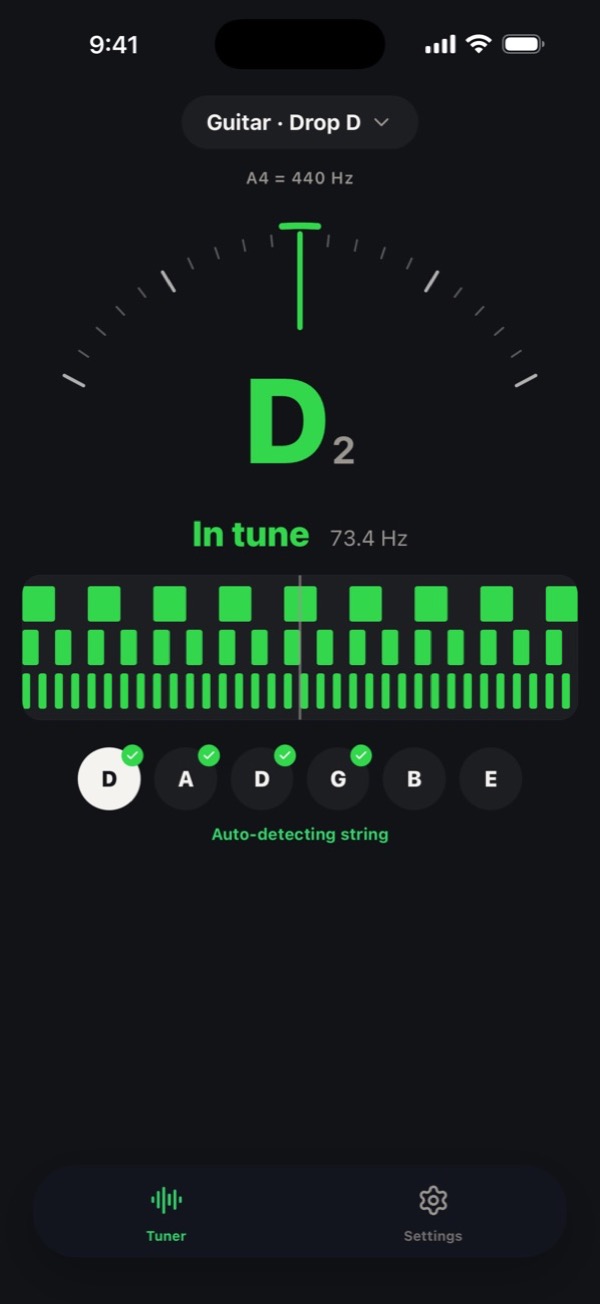
- Choose tunings like Half Step Down and Drop D too.
- Tune with just your Apple Watch.
- Sound from the mic is used only on your iPhone. Nothing is recorded or sent.
- Free, no sign-up (with ads).
Method 2: No app? Google's tuner
Search "tuner" on Google and a tuner appears right in the results. Use it from Safari or the Google app without installing anything.
- Search
tuneron Google - Tap
Use tunerand allow the microphone - Play a string and tune until the needle is in the middle
It isn't guitar-specific; it shows the name of the note you play. Tune while checking the table above. It works for Half Step Down too, but you have to check each note yourself.
Method 3: With nothing at all, tune by ear
If just the 6th string is in tune, you can tune the rest by ear.
- Fret the 6th string at the 5th fret and play it with the open 5th string. Turn the 5th string's peg until they sound the same
- Do the same: 5th string at the 5th fret with the 4th, then 4th string at the 5th fret with the 3rd
- For the 3rd string only, fret at the 4th fret and match the 2nd
- Match the 2nd string at the 5th fret with the 1st
When two notes are off, you hear a "wah-wah" wobble. Where the wobble stops, you're in tune. If the 6th string is off, everything is off, so check with a tuner later if you can.
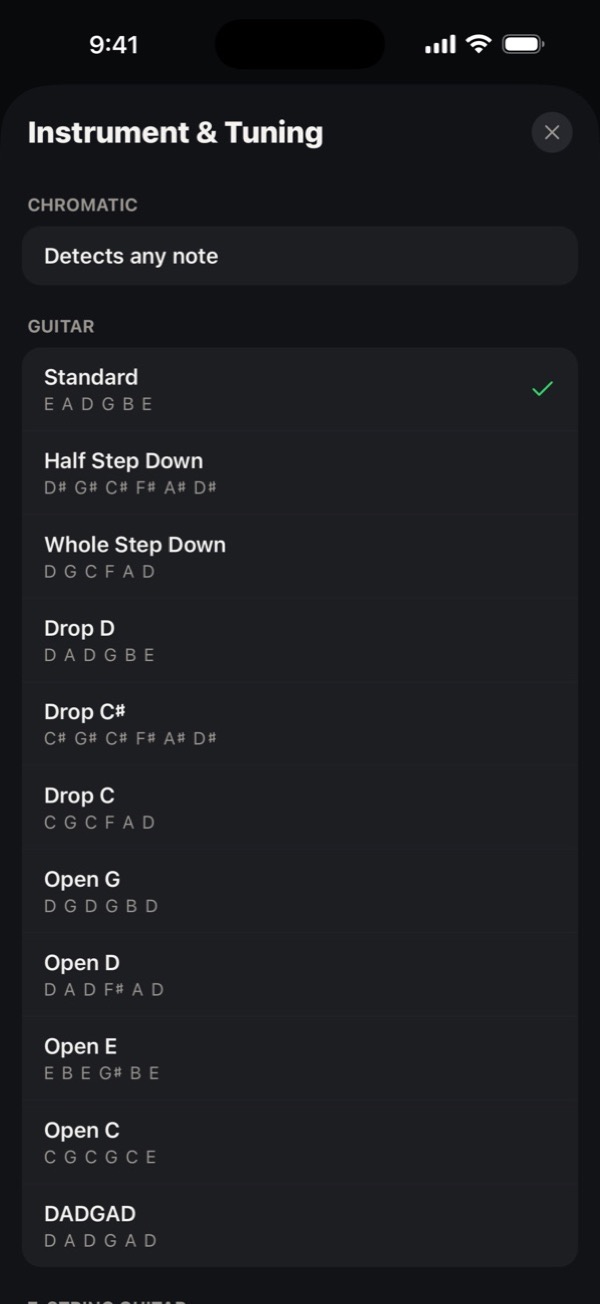
Notes for Half Step Down and Drop D
| Tuning | 6th to 1st string |
|---|---|
| Standard | E A D G B E |
| Half Step Down | D# G# C# F# A# D# |
| Whole Step Down | D G C F A D |
| Drop D | D A D G B E |
In oTuner, you can pick these tunings from a list. It supports 12 instruments, including ukulele, violin and shamisen (free: guitar Standard, Half Step Down and Drop D, plus bass and ukulele Standard and more. The rest come with the paid Pro).
FAQ
Does it work when it's noisy?
It picks up sound through the mic, so noisy places make it harder. Hold your iPhone close to the guitar body and play each string clearly.
I want to change the reference pitch (A = 440 Hz)
To match other instruments, people sometimes use 442 Hz or similar. In oTuner, change it anywhere from 415 to 466 Hz with Reference Pitch in Settings.